Free for Mac, Windows, iPhone & Android

Combine mobile data.
Download faster.

Put your phones' internet together and download big files faster — at events, on the road, or anywhere the Wi-Fi is slow.

Download on theApp Store Get it onGoogle Play COMING SOON

Version 1.0 · Free · No account needed

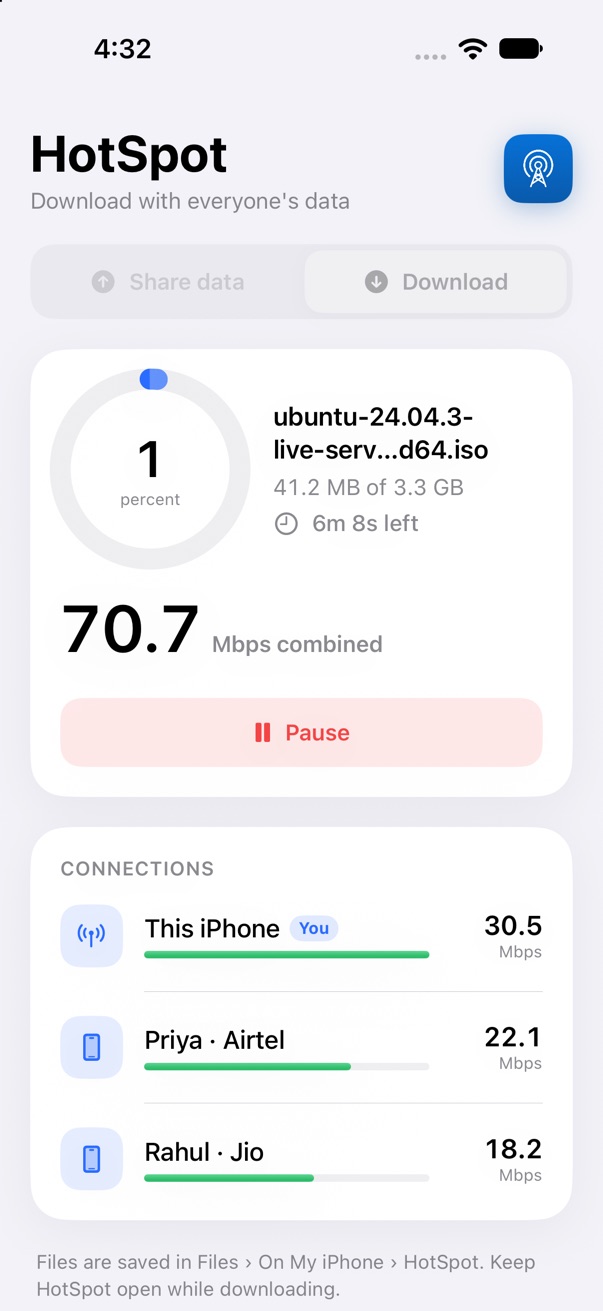
HotSpot downloading a file at 70 Mbps using three phones
Rahul · Jio +18 Mbps
Priya · Airtel +22 Mbps
70 Mbps combined

Everyone's speed adds up.

One phone alone gives you one phone's speed. With HotSpot, each friend who joins adds their mobile data to yours — so a download that takes an hour can take minutes.

Your phone
50 Mbps
Rahul
90 Mbps
Priya
30 Mbps
Together
170 Mbps
How it works

Three steps. No setup.

Everyone installs HotSpot. One person downloads; the others help.

1

Open HotSpot and choose Download

Your phone or computer shows a 4-digit code and waits for helpers.

2

Friends tap Join

On their phones: HotSpot → Share data → Join. No Wi-Fi? One phone creates a network and the others scan a QR code.

3

Paste a link and download

Every phone fetches a piece of the file over its own mobile data, and it arrives on your device in one go.

Features

Simple for everyone.

Help someone download

Someone near you needs fast internet? Join them and add your mobile data to theirs. You choose how much to give.

Get help when you need speed

Downloading something big? People nearby join you, and everyone's speed adds up.

No Wi-Fi? No problem

One phone creates a network. Others scan a QR code with their camera to join. Works anywhere there's mobile signal.

Safe and private

Only people with your code can join. Downloads stay encrypted end to end — helpers can't see what you download.

Works on all your devices

Mac, Windows, iPhone and Android all work together in one session. Download on a phone or a laptop.

Pause and pick up again

Lost signal or need to stop? Tap Continue later and the download carries on from where it stopped.

The app

Clean, clear, and fast.

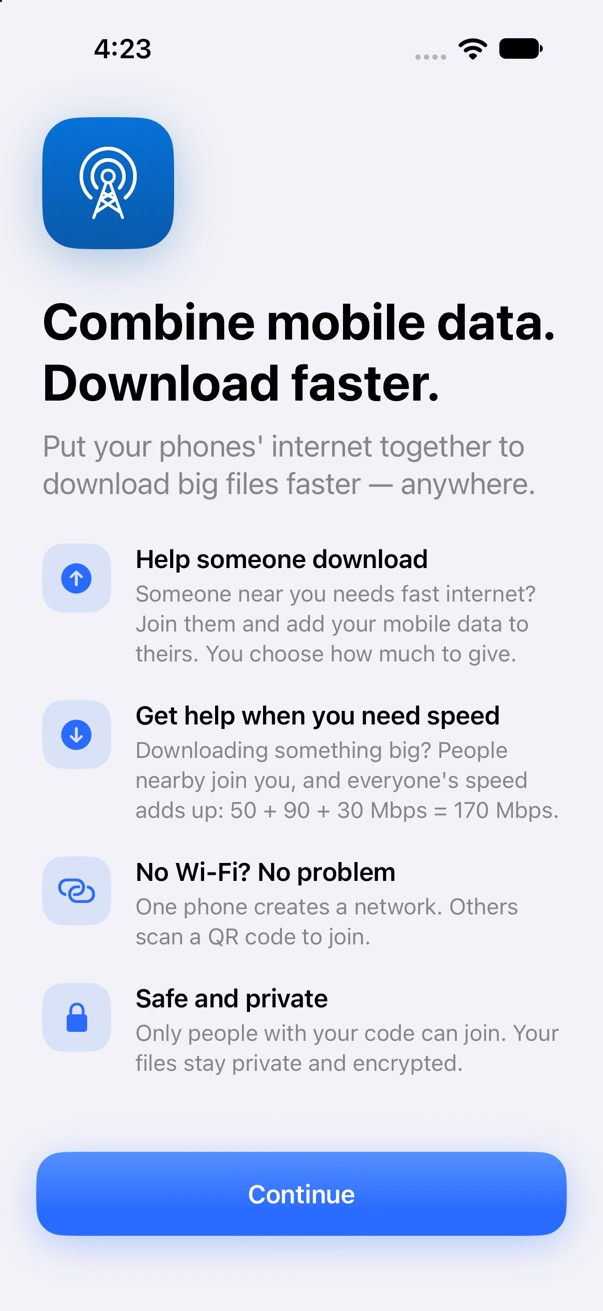
HotSpot welcome screen
A quick introduction
Downloading with three phones
Every helper's speed, live
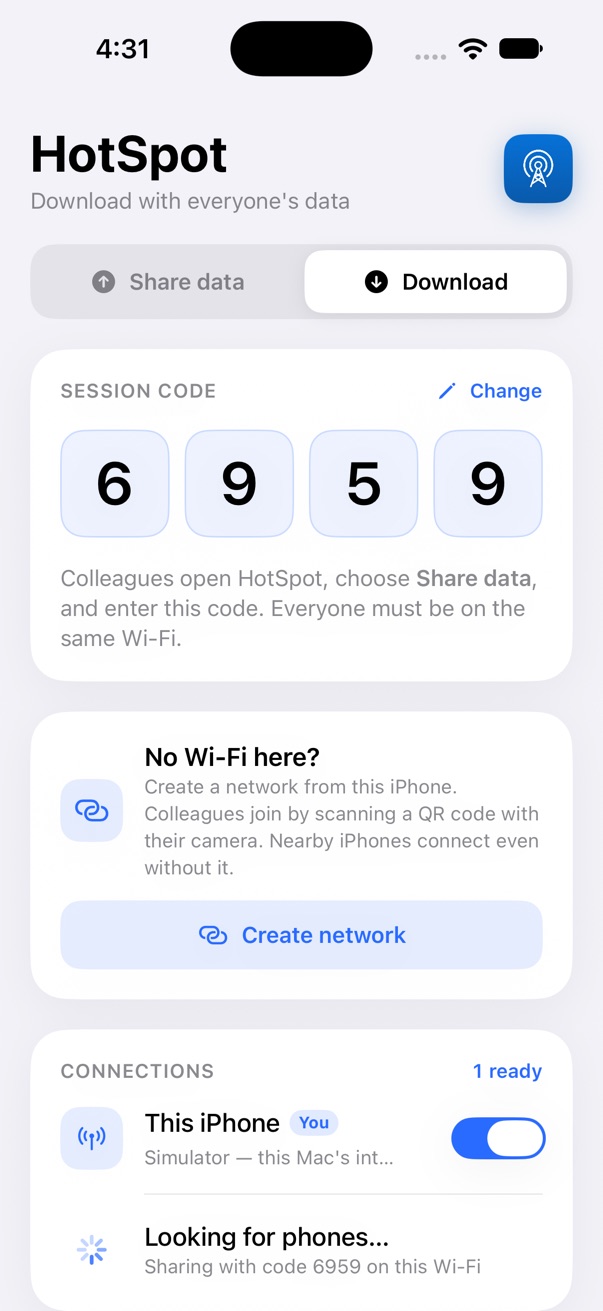
Session code and connections
A simple code to join
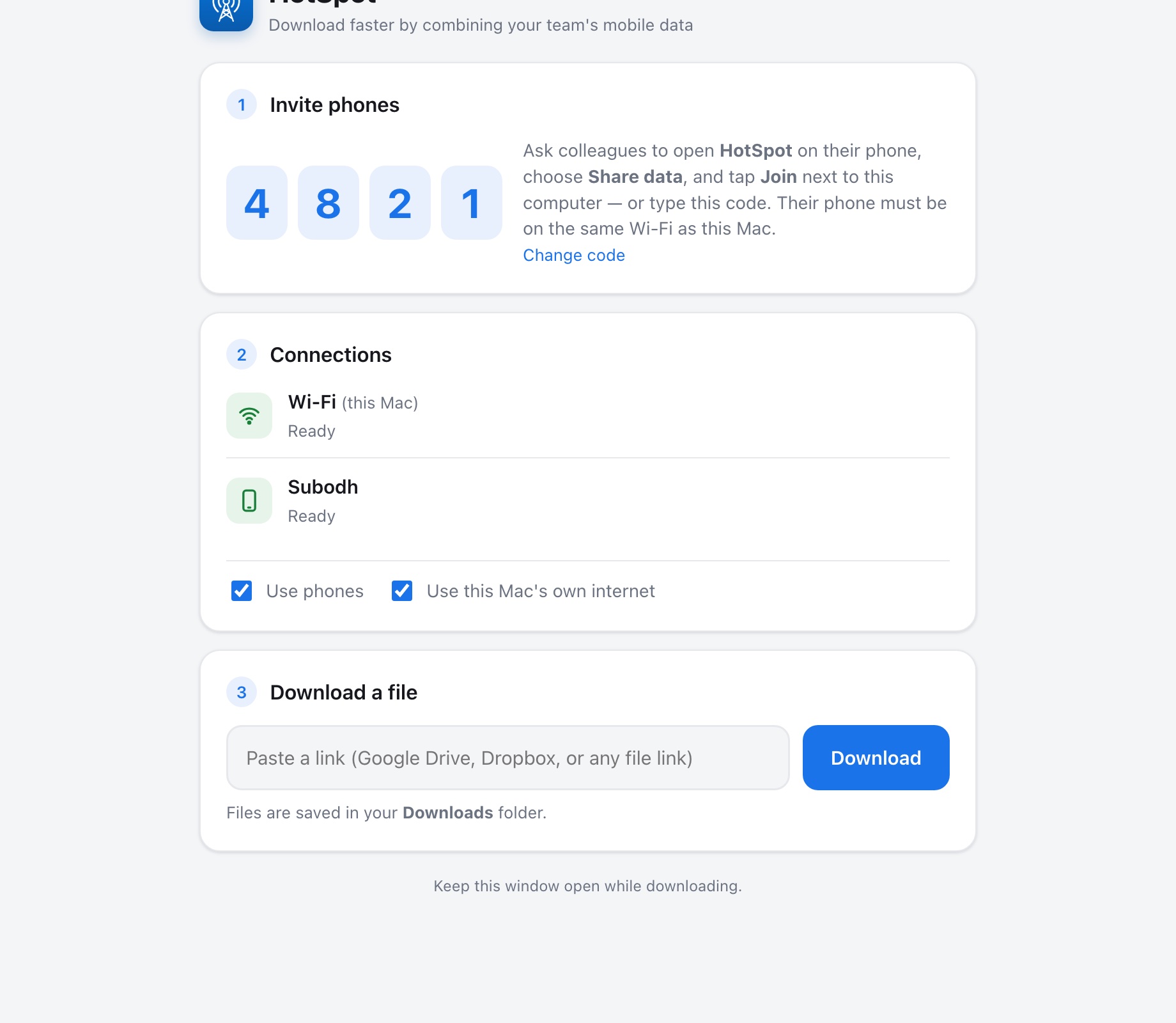
HotSpot for Mac and Windows

HotSpot for Mac and Windows

Made for

When the Wi-Fi lets you down.

Events & conferences

Hotel and venue Wi-Fi is slow when everyone uses it. Your team's phones aren't.

Field & media teams

Send and receive big video files from the location, not hours later.

Emergencies

No Wi-Fi at all? Phones create their own network and combine their data.

Travel & remote work

Grab that installer, dataset or presentation before the train leaves the station.

Download

Get HotSpot — it's free.

Install it on the computer that downloads, and on every phone that helps.

Mac

macOS 12 or later · Apple silicon and Intel · Verified by Apple

Download .dmg

Windows

Windows 10 or 11 (64-bit) · Installer with Start menu shortcut

Download .exe

iPhone

iOS 16 or later · Coming to the App Store

Coming soon

Android

Android 10 or later · Coming to Google Play

Coming soon

On Windows, if you see “Windows protected your PC”, click More info → Run anyway. This notice appears for new apps and goes away as more people install HotSpot.

FAQ

Questions, answered.

Does helping someone use my mobile data?

Yes — your share of the download comes from your mobile data. You can set a limit, like 1 GB, and sharing stops automatically when it's reached.

Do we need Wi-Fi?

No. Devices only need to be able to reach each other. If there's no Wi-Fi, one phone creates a network from inside HotSpot (or turns on its Personal Hotspot) and the others scan a QR code to join.

How much faster is it?

Roughly the sum of everyone's speed. Three phones at 50, 90 and 30 Mbps give about 170 Mbps. The shared Wi-Fi between devices is the upper limit, usually 150–300 Mbps on 5 GHz.

Can the people helping me see my files?

No. Downloads stay encrypted end to end. Helpers' phones only pass along scrambled data, and only people with your session code can join.

Which links work?

Direct file links from most websites, plus Google Drive and Dropbox share links. If a server can't split a file into pieces, HotSpot still downloads it normally.

Does it cost anything?

HotSpot is free. Your mobile operator's normal data charges apply to the data each phone shares.